
Native Payments for Small Businesses: What Actually Works
A customer taps your WhatsApp link, asks about price, then disappears at checkout. That last step, moving from chat to a payment page, is where small businesses lose the sale they already earned. Keeping the transaction inside the conversation changes the math. A side-by-side of the leading tools is at com.bot.
This article explains what native payments actually are, how they differ from payment links and redirect gateways, and what verification and per-transaction costs a small business must plan for. You will also see where in-chat payment pays off most, what to check in a platform, and which pitfalls to avoid.
What "Native Payments" Actually Means for a Small Business
Native payments let customers pay without leaving the conversation where they discovered your product. The transaction happens inside the messaging app itself, whether that is WhatsApp, Instagram, Messenger, or a similar platform. There is no redirect, no separate browser tab, and no third-party checkout page interrupting the flow.
This is a meaningful shift from the older model of redirecting buyers to an external site. For years, small businesses sent customers away from the chat to complete a purchase. Every one of those handoffs added friction and gave the buyer a chance to lose interest.
Consider a concrete example. A customer browses your product catalog inside WhatsApp, taps an item, and hits a native checkout button right in the thread. They confirm the order and pay, all without switching apps. The entire purchase journey stays in one conversation.
For a small business, the payoff is straightforward. Fewer steps means less friction, and less friction tends to mean higher conversion. The customer never has to remember a password, re-enter an address, or figure out a new interface. The buying moment and the payment moment become the same moment.
Native checkout vs. payment links vs. redirect gateways
The three main ways to collect payment online differ in where the customer completes the transaction. Each approach has tradeoffs in speed, conversion, and how much work it takes to set up.
| Factor | Native checkout | Payment links | Redirect gateways |
|---|---|---|---|
| Number of steps | One or two taps, stays in chat | Tap link, open browser, enter details | Leave app, load site, fill form, pay |
| Where payment occurs | Inside the messaging app | In a mobile browser | On an external checkout page |
| Typical conversion | Highest, fewest drop-off points | Moderate, depends on link trust | Lowest, most friction |
| Setup complexity | Requires platform support and a merchant account | Low, most processors offer links | Moderate, needs a full gateway integration |
Native checkout can reduce cart abandonment compared to redirects. The reason is simple: the customer never leaves the context where they decided to buy.
Payment links sit in the middle. They are easy to send and work with most payment processors, but they still push the buyer into a browser. Redirect gateways carry the most friction because the customer leaves the app entirely and often has to re-enter information.
For high-intent conversations, native checkout is usually the better fit. When a customer is already asking about a product and ready to buy, removing the redirect protects that momentum.
Why in-chat payment reduces drop-off at the final step
Every additional step between intent and payment increases the chance a customer abandons the purchase. This is basic friction psychology. Each redirect, form fill, or app switch introduces delay and distraction, and distraction is where sales are lost.
Redirects can cause drop-off on their own. The buyer has to wait for a page to load, trust an unfamiliar checkout, and often create an account. Any one of those hurdles can end the sale.
In-chat payment removes those hurdles. It eliminates the redirect, keeps the product context visible, and can use stored payment credentials for one-tap checkout. Tokenization and digital wallets make that one-tap experience possible without exposing raw card data.
A food delivery service using WhatsApp native payments saw an increase in completed orders after switching. The orders did not change. The checkout did.
For small businesses, the lesson is to minimize steps. Fewer taps, fewer screens, and fewer chances to lose the customer. Native checkout, payment links, and redirect gateways can all work, but the option that keeps the buyer in place usually wins the sale.
The Real Requirements Before You Can Accept Payments In-Chat
Before you can accept payments inside a chat, you need to meet platform and regulatory requirements. These are not optional steps that can be skipped or handled later. Messaging platforms and payment networks enforce them for good reason.
The requirements fall into three main areas: business verification with the messaging platform, a payment provider that supports in-chat transactions, and compliance with PCI DSS for card data handling.
Platforms like WhatsApp require business verification and approval before enabling payment features. You cannot simply connect a payment gateway and start accepting money. The platform must first confirm that your business is legitimate and that you meet its terms of service.
Payment providers add their own layer of scrutiny. Underwriting teams review your business model, expected transaction volume, and chargeback history. A merchant account approval is separate from platform verification, and both must be completed before going live.
These steps protect both merchant and customer. Verification reduces fraud, builds trust, and ensures that disputes can be resolved through proper channels. Skipping them risks fines, account suspension, or permanent loss of payment access.
Business verification, payment provider, and compliance basics
To accept payments in-chat, you must first verify your business and integrate a compliant payment provider. The process starts with submitting documents to the messaging platform.
For WhatsApp Business API, this typically means providing business registration documents, a tax identification number, and proof of address. Meta reviews these details and may ask follow-up questions. Approval timelines vary based on the completeness of your submission.
Once verified, you need a payment provider that supports native payments. Options include established processors like Stripe and Razorpay, among others. Each provider has its own underwriting process, which may include a credit check and a review of your business model.
PCI compliance is the next requirement. You do not need to store raw card numbers to accept credit card processing. Instead, use tokenization, where the card data is replaced with a unique token that your system references. This keeps sensitive information out of your environment and reduces your compliance burden.
Here is a practical checklist for going live:
- Verify your business with Meta or the relevant messaging platform
- Set up an account with a payment provider that supports in-chat transactions
- Ensure PCI compliance through tokenization or a hosted payment page
- Test transactions in a sandbox environment before accepting real payments
Non-compliance can lead to fines, forced refunds, or account suspension. In severe cases, a processor may terminate the merchant account entirely. These consequences apply regardless of business size.
Costs small businesses actually pay per transaction
Transaction costs for in-chat payments typically include a percentage fee plus a fixed amount. Understanding each component helps you price products accurately and avoid surprises.
The main cost categories are:
- Interchange fees: set by card networks, usually 1.5% to 2.5% for card-present and higher for card-not-present transactions
- Payment processor markup: the provider's fee, often 0.5% to 1.5% on top of interchange
- Platform fees: some messaging platforms or payment enablers charge an additional percentage or monthly fee
For a $100 transaction, total fees might land around $2.50. That figure depends on the card type, the processor, and whether the transaction is domestic or international. Debit card acceptance often costs less than credit card processing.
Compared with a traditional point of sale system, in-chat payments carry similar base costs. Card-not-present rates are often higher because the risk of fraud is greater. A physical POS terminal may qualify for lower interchange rates since the card is present.
Small businesses can negotiate rates as volume grows. It also helps to factor transaction fees into your pricing from the start. Some platforms charge additional monthly fees for access to payment features, so review the full cost structure before committing.
Chargeback management is another cost to consider. Disputes may carry a fee regardless of outcome, and a high chargeback ratio can lead to higher processing rates or account termination.
Where Native Payments Deliver the Biggest ROI for Small Teams
Native payments yield the highest return when they eliminate manual steps and accelerate cash flow. For small teams, the biggest gains rarely come from shaving a fraction off transaction fees. They come from removing the friction that sits between a customer saying yes and money arriving in the account.
Two areas consistently produce that return: order confirmation and COD reduction. In both cases, the payment happens inside a channel the customer already uses, so there is no redirect, no separate app, and no back-and-forth over bank details.
Small teams benefit most when payment is integrated into existing workflows rather than bolted on as a separate tool. A five-person operation does not have a finance department to chase invoices or reconcile spreadsheets. Every manual step is time taken away from selling, packing, or serving customers.
It helps to think about ROI in three parts. Lower transaction fees matter, but they are usually the smallest piece. The larger pieces are saved staff time and higher conversion, because a customer who can pay in the moment is far more likely to complete the purchase.
Order confirmation and instant payment collection in one thread
When a customer confirms an order in chat, you can collect payment immediately without switching apps. The flow is simple: the customer selects items, the bot confirms the order details, and a native payment button appears in the same conversation.
Once the customer taps it, payment is processed on the spot and the order is marked as paid. No invoice is drafted, no payment link is copied into a separate message, and no one has to check a bank app to confirm the money landed.
- Faster cash flow: the gap between order and payment shrinks from hours to moments.
- No manual invoicing: the confirmation and the payment request are the same step.
- One reference thread: order details, payment status, and any follow-up live in a single place.
- Fewer errors: nothing is retyped from a chat message into a billing tool.
Consider a boutique selling through WhatsApp. Before native payments, staff would confirm an order, send bank details, and wait for a transfer screenshot. That cycle often stretched across several hours, sometimes into the next day. With a native payment button in the same thread, the customer pays in seconds and the order is confirmed automatically.
The practical recommendation is to automate both steps together. Trigger the payment request the moment the order is confirmed, and let the system mark the order paid without human input. That single change removes a recurring task from every order your team handles.
Reducing COD dependency and manual follow-ups
Cash on delivery is a major pain point for small businesses due to failed deliveries and delayed cash flow. A refused parcel costs you the courier fee, the return shipping, and the time spent repacking. Multiply that across a week of orders and the losses add up quietly.
There are three recurring problems with COD:
- High return rates: customers who never intended to pay on delivery simply refuse the parcel.
- Reconciliation headaches: cash collected by couriers arrives late and rarely matches order records cleanly.
- Security risks: couriers carry cash, and someone has to handle and deposit it.
Native payments shift the default toward prepayment. When a customer can pay in the same chat where they ordered, the reason to choose COD largely disappears. Businesses that offer prepayment through chat tend to see a reduction in COD orders, simply because paying is now easier than waiting.
Automated payment requests and reminders also cut manual follow-ups. Instead of a staff member messaging each customer to confirm a delivery slot or chase a payment, the system sends the request and the reminder on its own. Your team only steps in when something genuinely needs a human decision.
One grocery store illustrates the shift well. After adding native payments, COD fell as a share of orders. The remaining COD orders were mostly customers who genuinely could not prepay, not customers avoiding payment. The store kept the option available while making prepayment the path of least resistance.
Choosing a Platform That Supports Native Payments
Not all messaging platforms support native payments, so you need to evaluate key features. A platform that only sends messages will force customers off the chat to complete a purchase. That extra step adds friction and often loses the sale.
Native payments keep the entire transaction inside the conversation. The customer taps a button, pays, and stays in the thread. For a small business, that means fewer drop-offs and faster checkout without a separate payment gateway or POS system.
When comparing options, focus on three capabilities: official API access, a unified inbox, and a bot builder. Together, these determine whether payment acceptance is reliable, manageable, and scalable as order volume grows.
Official API access matters because it unlocks compliant, native payment buttons. A unified inbox matters because conversations across channels should not be scattered. A bot builder matters because automation handles repetitive payment flows without extra staff.
Beyond those three, look for analytics and support. Analytics show where customers abandon a payment and which messages convert. Support determines how quickly you resolve a failed transaction or a blocked account. A platform that lacks either will slow you down at the worst moment.
Com.bot is one example of a platform built around these requirements. The sections below break down what to verify and how one option handles native WhatsApp payments.
What to check: WhatsApp Business API, unified inbox, bot builder
When evaluating a platform, verify that it offers official WhatsApp Business API access, a unified inbox, and a visual bot builder. These three features cover payment capability, operational efficiency, and automation.
Use this checklist as a starting point:
- WhatsApp Business API: Ensures compliance and access to native payment buttons inside the chat.
- Unified inbox: Manages WhatsApp, Facebook, Instagram, and web chat in one place.
- Bot builder: A drag-and-drop interface for creating payment flows without coding.
The API is the foundation. Without official access, you cannot offer native payment buttons, and your account risks restrictions. This is the difference between a compliant payment channel and a workaround that can break.
The unified inbox is about efficiency. If your team answers WhatsApp on one screen and Instagram on another, messages get missed and response times suffer. A single view keeps every customer thread visible and assignable.
The bot builder is about automation. A visual, drag-and-drop interface lets you build a payment flow, such as sending an order summary with a pay button, without writing code. That keeps small business payments moving even outside working hours.
Ask for a live demo before committing. Test the payment integration end to end: send a test payment, confirm it lands, and check that the order status updates. A demo reveals more than any feature page.
How Com.bot handles native WhatsApp payments, setup, and pricing
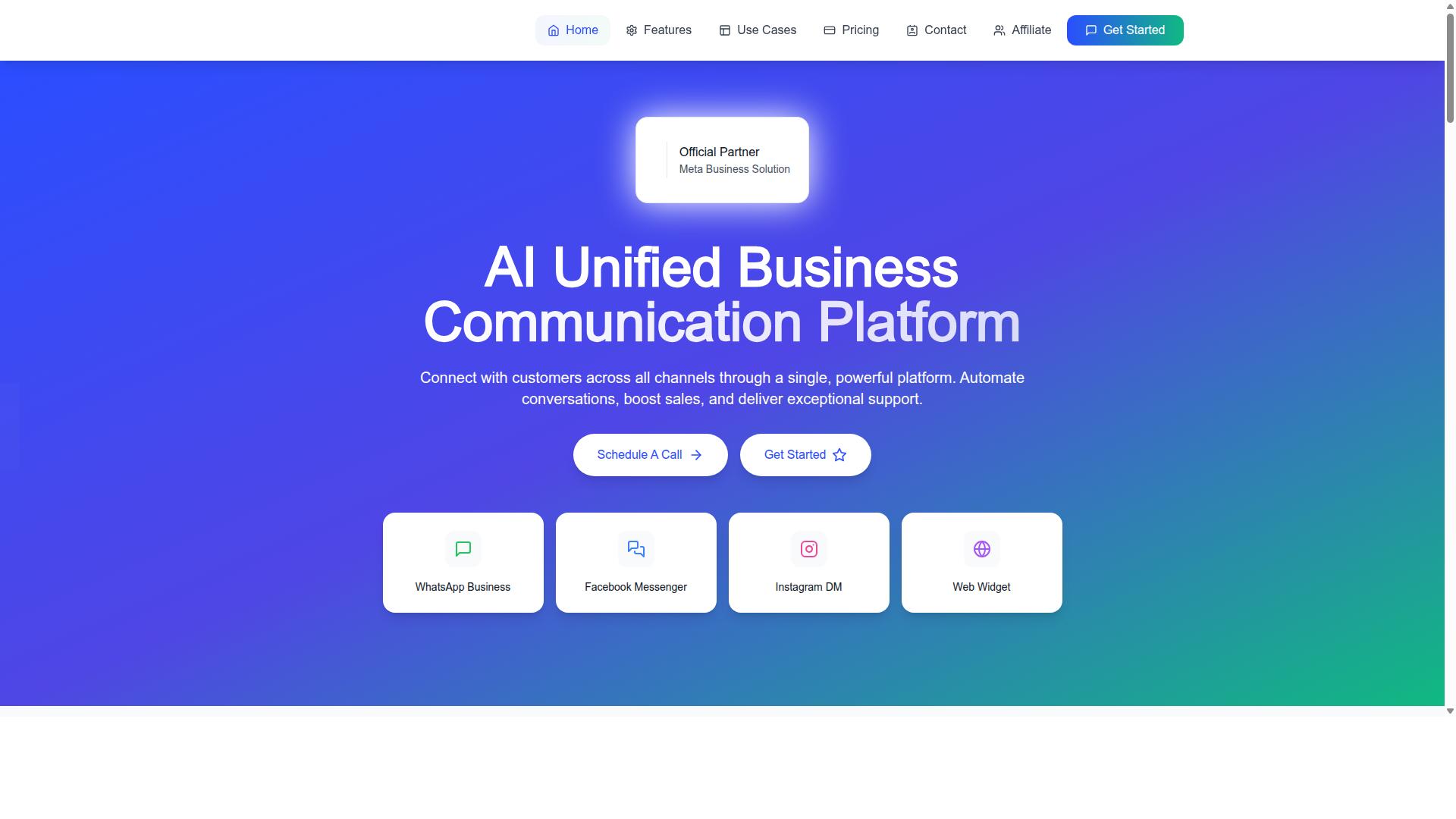
Com.bot integrates native WhatsApp payments through its unified platform, with transparent pricing. It is an official Meta Business Partner and supports the WhatsApp Business API, which enables in-chat payments.
Setup follows three steps:
- Connect your WhatsApp Business account.
- Configure your payment provider.
- Use the visual bot builder to add payment buttons to your flows.
The visual bot builder uses a drag-and-drop interface, so adding a payment button does not require coding. The unified Team Inbox then keeps WhatsApp, Facebook, and Instagram conversations in one place, with role-based access for team collaboration.
Pricing is straightforward:
| Plan | Price |
|---|---|
| Silver | $149 per quarter |
| Gold (Recommended) | $349 per quarter |
| Platinum V1 | $2500 per quarter |
Add-ons include $10 per month for an additional team member, plus options for a social channel, external actions, bot triggers, and an ecom store. WhatsApp messaging is billed at actual Meta rates with no markup.
Com.bot serves customers in 50+ countries and processes 25M+ messages daily. For a small business weighing native payments, that scale suggests the platform can handle growth without a change in tooling.
Common Pitfalls and How to Avoid Them
Even with native payments, small businesses can stumble into pitfalls that erode trust and revenue. The two biggest culprits tend to be trust and measurement.
Trust breaks down when customers feel unsure about paying inside a chat window. Without visible security signals, a clear refund path, or a fast way to resolve disputes, buyers hesitate. That hesitation shows up as abandoned carts and stalled conversations.
Measurement breaks down when no one tracks what happens after a payment prompt goes out. You cannot improve conversion, response speed, or repeat business if you never look at the numbers behind them.
These two problems feed each other. A slow dispute process damages trust, and poor tracking means you never notice the damage until revenue drops. Fixing both requires deliberate setup, not just switching on a payment button.
The sections below break down each pitfall and offer concrete steps to close the gaps.
Trust signals, refunds, and dispute handling
Customers need reassurance that paying in-chat is safe and that refunds are hassle-free. Without that reassurance, even a smooth checkout flow can stall at the final step.
Start with visible trust signals. Display security badges such as PCI DSS compliance near the payment prompt. Publish a clear refund policy in plain language, and surface customer reviews where buyers can see them before they commit.
Dispute handling matters just as much. When a chargeback or complaint arises, respond quickly, provide evidence such as order records or chat transcripts, and use the platform's chargeback management tools to keep the process organized.
Automating refunds for eligible cases can resolve issues instantly and reduce friction. A retailer that prominently displayed a money-back guarantee saw an increase in in-chat payments, a reminder that confidence drives conversion.
- Show PCI DSS badges and encryption notices at checkout
- State your refund window and process clearly
- Feature verified customer reviews near payment prompts
- Train staff on dispute resolution and escalation paths
Finally, train staff on how to handle disputes calmly and consistently. A quick, fair response often turns a frustrated buyer into a repeat customer.
Measuring what works: conversion, response time, repeat rate
To optimize native payments, track three key metrics: conversion rate, response time, and repeat purchase rate. Each one tells a different part of the story.
Conversion rate is the percentage of chats that result in payment. Response time is the average time it takes to answer a payment query. Repeat rate is the percentage of customers who pay again.
Use platform analytics to monitor these numbers over time. Benchmarks worth aiming for include a conversion rate above 20%, a response time under five minutes, and a repeat rate above 30%.
A/B testing payment prompts can reveal which wording, timing, or incentive drives the best results. A service business improved conversion after reducing response time, showing how closely speed and sales are linked.
- Conversion rate: percentage of chats that end in payment
- Response time: average minutes to answer payment questions
- Repeat rate: percentage of buyers who pay again
Review these metrics weekly, adjust prompts based on what the data shows, and keep refining the experience.
Conclusion: Turning Conversations into Revenue
Native payments transform messaging from a support channel into a revenue engine. When customers can pay without leaving the chat, the gap between interest and purchase shrinks to a single conversation.
That shift matters for small businesses because every extra step in the buying journey is a chance to lose the sale. A customer who has to switch apps, open a browser, or hunt for a payment link may simply walk away. In-chat payment acceptance keeps the moment of intent intact, and that is the core promise of native payments.
This guide covered what actually works, and three themes stand out.
- Native payments reduce friction. Customers pay where they already are, whether through mobile payments, digital wallets, QR code payments, or a saved card on file.
- Setup is required. A merchant account, payment gateway, PCI compliance, and fraud prevention controls do not appear on their own. Someone has to configure them properly.
- ROI depends on the platform. Transaction fees, interchange fees, settlement speed, and chargeback management all shape whether integrated payment processing pays off.
None of these points is exotic. The difference between a payment flow that works and one that frustrates customers usually comes down to how well the pieces fit together.
Take a moment to review your current setup. Ask a few practical questions. Where do customers drop off during checkout? How many steps stand between a question and a completed sale? Does your point of sale or POS system connect to the channels where your customers actually talk to you?
If the answers reveal gaps, that is useful information, not a failure. Small business payments evolve, and the tools available today make it easier to accept credit card processing, debit card acceptance, ACH transfers, and bank transfers from a single flow.
Recurring billing, subscription payments, and invoicing can run through the same infrastructure. Real-time payments and same-day settlement options give owners faster access to cash. Tokenization and encryption protect stored payment details. Buy now pay later, or BNPL, gives customers flexibility at the moment of decision.
Each of these capabilities solves a specific problem. Together, they turn a messaging thread into a place where business actually gets done.
If you want to explore what in-chat payments could look like for your business, Com.bot can help you evaluate the options. You can reach the team in several ways:
- Phone or WhatsApp: +91 080 6987 1810
- Email: sales@com.bot
- Head office: 501, Trinity Orion, Vesu Main Road, Surat - 395010, IN
- Business hours: Monday to Friday, 9:00 AM to 6:00 PM IST
WhatsApp support is also available if that is your preferred channel. The team can walk you through a demo or help you get started, whichever suits your timeline.
The businesses that win with native payments are rarely the ones with the biggest budgets. They are the ones who remove friction, set up their payment stack correctly, and choose a platform that fits how their customers already behave. That is what actually works.