
Is Tasks.Bot Good for Google Sheets Automation AI?
You already run your team's tasks through a Google Sheet, and now you wonder if AI can do the assigning. Sheets track rows well, but they cannot read a voice note, ping a field worker, or chase an approval. This article answers whether Tasks.Bot is the right automation layer for that job.
You will learn what Tasks.Bot does, how its AI turns messages into assigned tasks with deadlines, and where it fits beside a spreadsheet workflow. You will also see its pricing, standout features, and a clear verdict on who should switch.
What Is Tasks.Bot?
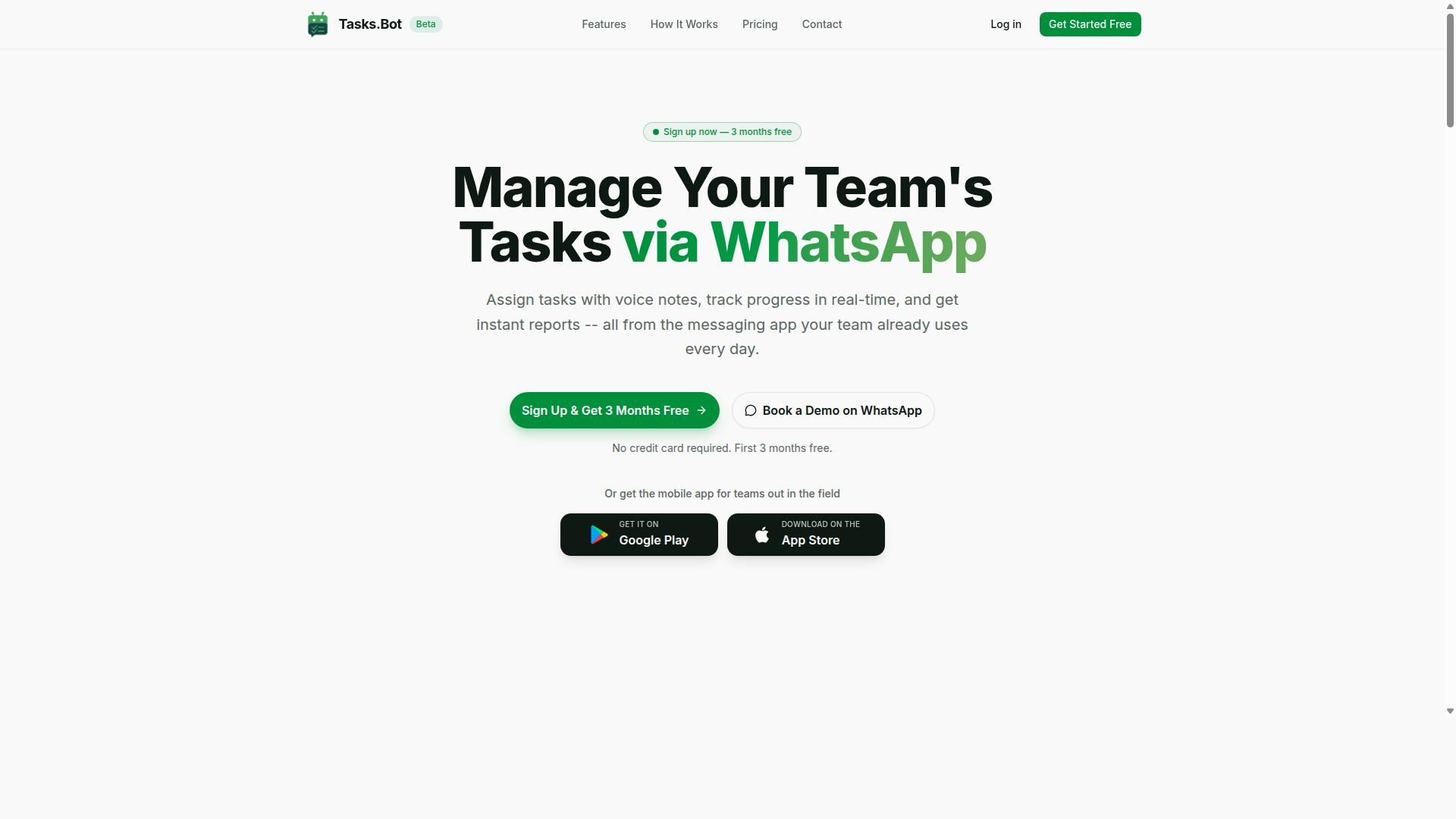
Tasks.Bot is a task management platform that operates entirely within WhatsApp, allowing teams to assign tasks, track progress, and receive reports without leaving the messaging app. That messaging-first design is what sets it apart from conventional project management tools that require a separate login, dashboard, or desktop app.
Instead of asking people to adopt new software, Tasks.Bot meets them in the app they already check dozens of times a day. For teams where WhatsApp is the default channel for coordination, that removes a major barrier to adoption: no new interface to learn and no separate inbox to monitor.
The product is offered as a SaaS tool available to teams globally, and it also includes a mobile app for field teams. It is currently in beta and offers a free trial period, so teams can evaluate whether the WhatsApp-native model fits how they already work before committing.
That combination of a familiar messaging layer and a dedicated mobile app matters for the question at the heart of this article. If you are weighing Tasks.Bot as part of a Google Sheets automation or AI-assisted workflow, the starting point is understanding what the platform actually is: a WhatsApp-based task and reporting system, not a spreadsheet add-on or a script generator.
Who Tasks.Bot Serves and How It Works
Tasks.Bot is designed for teams that already use WhatsApp for communication, particularly those with field staff who need to manage tasks, track attendance, and generate payroll-ready hours. The brand notes that hundreds of teams are already using the service.
The core workflow is simple and conversational. Tasks are created and assigned through WhatsApp, team members receive notifications about what they need to do, and they update their status as work progresses. Managers then receive reports based on that activity, which keeps oversight tied to the same channel the work is discussed in.
That structure suits a few specific situations well:
- Field teams whose staff are mobile and rarely sitting at a computer
- Operations groups that coordinate daily work over WhatsApp already
- Managers who need attendance records and hours that are ready for payroll
- Small and mid-sized teams that want task tracking without a heavy new system
The mobile app extends this for field teams who need access beyond the chat thread itself. Because assignments, status updates, and reporting all flow through one place, there is less duplication between what is said in a message and what is recorded as a task.
For readers evaluating Tasks.Bot alongside Google Sheets automation and AI tools, this division of labor is worth noting. Tasks.Bot handles the human side of task assignment, attendance, and reporting inside WhatsApp, while spreadsheet and AI tools tend to handle structured data work. Understanding that boundary is the first step toward judging whether the two can work together effectively.
Is Tasks.Bot Good for Google Sheets Automation AI? The Direct Answer
Tasks.Bot is not a dedicated Google Sheets automation AI tool, but it can complement Google Sheets workflows by handling task management and data collection via WhatsApp. That distinction matters, because the two categories of software solve different problems.
Google Sheets automation focuses on moving, cleaning, and calculating data inside a spreadsheet. Tasks.Bot focuses on assigning work, tracking completion, and collecting updates from people, often field teams who are not sitting at a desk. These are related needs, but they are not the same need.
So the honest answer to the headline question is this: if your goal is pure spreadsheet automation, Tasks.Bot is not the right primary tool. If your goal is getting tasks done and capturing data that later lands in a spreadsheet, it can play a useful supporting role.
What Tasks.Bot does not offer:
- No native Google Sheets integration that writes directly into cells or tabs
- No public API for spreadsheet-level automation
- No formula generation, script generation, or Apps Script replacement
- No conditional logic engine for manipulating rows and columns
For those jobs, Google Apps Script, Google Workspace add-ons, and dedicated no-code automation platforms are better suited. They are built around the spreadsheet as the system of record, with triggers, schedules, and webhooks that fire when data changes.
Where Tasks.Bot fits is the human layer. A recurring task can be assigned, acknowledged, and closed out through a chatbot conversation. The result, a status, a photo, a timestamp, a note, can then be entered or synced into a sheet by whatever method your team already uses.
Think of it as task automation that feeds spreadsheet workflows, not spreadsheet automation itself. Teams that need both usually run them side by side rather than expecting one tool to cover the other's ground.
How Tasks.Bot's AI Handles Task Automation
Tasks.Bot leverages AI to simplify task automation through natural language understanding and voice processing, eliminating the need for complex setup. Instead of learning a new interface, teams keep working the way they already do: inside WhatsApp.
The platform's core strength is its AI-driven interpretation of everyday messages. A sentence typed in a chat window or a quick voice note becomes a structured task with an owner, a due date, and a description. No forms, no dropdowns, no spreadsheet gymnastics.
This matters when you compare it to spreadsheet-based automation. Tools like Google Sheets rely on formulas, Apps Script, and add-ons to move data around. Tasks.Bot takes a different path. It uses AI to understand user intent and create tasks from messages, so the heavy lifting happens in conversation rather than in cells.
Because Tasks.Bot operates entirely within WhatsApp, team members don't need to install anything or create new accounts. That removes a common barrier to adoption. When people can assign work with a message they would have sent anyway, task automation stops feeling like a separate system and starts feeling like part of the conversation.
The sections below break down how the AI parses language and voice, then how it handles assignment, deadlines, and approvals once a task exists.
Natural Language and Voice Note Task Creation
Users can create tasks by simply sending a WhatsApp message or voice note in natural language, such as "Remind John to submit the report by Friday." The AI extracts the key details from that sentence without any structured input.
Behind the scenes, Tasks.Bot uses AI and natural language processing to identify three things:
- Assignee, the person named or implied in the message
- Deadline, including relative dates like "Friday" or "tomorrow"
- Description, the actual work to be done
Voice notes work the same way. A manager walking between meetings can hold down a button, speak a task, and move on. The AI transcribes and interprets the audio, then turns it into an actionable item. This is where voice capture earns its place in a busy workflow.
The practical benefit is a sharp reduction in manual data entry. There are no fields to fill, no forms to open, and no risk of a typo breaking a formula. A message that already exists in the chat becomes the task record.
For teams weighing Tasks.Bot against Google Sheets automation, this is a meaningful difference. A spreadsheet needs clean, structured input before it can automate anything. Natural language skips that step entirely, because the AI does the structuring for you.
Automatic Assignment, Smart Deadlines, and Approvals
Once a task is created, Tasks.Bot automatically assigns it to the right team member, sets smart deadlines, and manages approval workflows without manual intervention. Assignment can follow context from the message or predefined rules your team sets up.
Deadlines are handled intelligently rather than literally. Instead of dumping every due date at midnight, the system accounts for working hours so reminders land when someone can actually act on them. Smart deadline reminders keep tasks visible without anyone chasing updates.
Approvals follow the same logic. If a task requires approval, the manager gets a notification and can approve via WhatsApp. The decision happens in the same thread where the work was assigned, which keeps the loop short and the audit trail clear.
Tasks.Bot also supports conditional logic and automations, so recurring workflows can run with minimal oversight. A repeating report, a weekly check, or a sign-off chain does not need to be rebuilt each time.
This is the layer where task automation becomes workflow automation. Google Sheets can trigger a script when a cell changes, but it cannot interpret a voice note, weigh context, or route an approval through a chat app. Tasks.Bot handles those steps natively, and it does so with enterprise-grade encryption, so conversations and task data are never shared or used for training.
Where Tasks.Bot Fits vs. a Google Sheets Workflow
Tasks.Bot and Google Sheets serve different primary purposes: Tasks.Bot excels at real-time task coordination via WhatsApp, while Google Sheets is better for structured data analysis and complex automation. Understanding that split helps teams stop forcing one tool to do the other's job.
Google Sheets is a genuinely powerful platform. It handles data manipulation, formulas, and conditional logic with ease, and Apps Script opens the door to custom functions, macros, and scheduled triggers. For reporting, modeling, and storing structured records, few tools match it.
What a spreadsheet does not do well is mobile-first task coordination. There is no native way to assign a task to a colleague and have a reminder land on their phone. You can build something with Apps Script and webhooks, but that takes developer time and ongoing upkeep.
Tasks.Bot addresses that gap through a conversational interface. Instead of opening a sheet, finding a row, and updating a cell, a user sends a message. The chatbot handles the natural language processing needed to turn that message into a tracked task.
This is where the two tools complement each other rather than compete:
- Tasks.Bot for task execution, assignment, and reminders in the flow of daily conversation
- Google Sheets for reporting, dashboards, and long-term data storage
- Google Apps Script for scheduled jobs, data validation, and custom automation that runs on a trigger
- APIs and webhooks to move data between a chat-based task layer and a spreadsheet record
A practical example: a field team logs job updates through chat during the day. At week's end, that activity feeds a spreadsheet where a manager reviews completion rates and builds a report. The chat layer handles speed. The sheet handles analysis.
Another example involves recurring tasks. A spreadsheet can flag that a report is due, but it will not nudge a specific person on their phone. A conversational tool handles the reminder. The spreadsheet then stores the outcome for audit purposes.
For teams weighing whether Tasks.Bot is a fit, the honest answer is that it is not a spreadsheet replacement. It is a task automation layer that sits alongside Google Workspace rather than inside it. If your bottleneck is data crunching, Sheets wins. If your bottleneck is people not acting on tasks, a chat-based approach closes that loop faster.
Many teams end up running both. Tasks.Bot drives execution and accountability in real time. Google Sheets remains the system of record for anything that needs a formula, a pivot table, or a chart. That combination covers the full workflow without asking either tool to stretch beyond its strengths.
Key Features That Make Tasks.Bot Stand Out
Tasks.Bot differentiates itself with a WhatsApp-native design and specialized tools for field teams, setting it apart from traditional task management apps. Most task tools ask your team to learn a new interface, remember another password, and check yet another inbox. Tasks.Bot skips all of that by living where your team already spends its day.
This matters most for teams that rely on WhatsApp as their main coordination channel. Field crews, sales reps, and small operations teams often plan work in group chats and voice notes, then lose track of who agreed to do what. Tasks.Bot closes that gap by turning those conversations into structured tasks, deadlines, and reports.
The standout features fall into two areas:
- Zero-friction access: everything runs inside WhatsApp, with no new accounts or installs for team members.
- Field accountability: face-verified attendance and live GPS tracking for staff who work away from a desk.
These two pillars address the biggest pain points for WhatsApp-based teams: low adoption and weak visibility into fieldwork. The sections below explain how each one works in practice.
WhatsApp-Native, No New Accounts or Installs
Tasks.Bot operates entirely within WhatsApp, so team members don't need to install any new software or create additional accounts. Onboarding is as simple as messaging the Tasks.Bot number. There is no app store download, no sign-up form, and no password to reset.
The interface is a chatbot, which means users interact through normal messages rather than menus and dashboards. The AI behind it understands natural language and voice notes, so a team member can describe a job in plain words and have it turned into a task. This removes the biggest barrier to task automation: getting people to actually use the tool.
Lower friction has a direct effect on compliance. When the tool lives in an app people already open dozens of times a day, reminders get seen and updates get logged. Training time shrinks because there is almost nothing to teach beyond "send a message."
For managers comparing this to spreadsheet-based tracking or standalone apps, the difference is adoption speed. A task system only delivers value when the whole team uses it, and a WhatsApp chatbot removes the excuses. Tasks.Bot also offers a 3-month free trial with no credit card required, so teams can test adoption before committing.
Field Team Tools: GPS Tracking and Face-Verified Attendance
For field teams, Tasks.Bot offers GPS tracking and face-verified attendance to ensure accountability and accurate payroll hours. Staff check in through the Android or iOS app, and the system records both the location and a facial verification of the person checking in. This combination makes attendance records far harder to fake than a simple timestamp.
Managers can see real-time locations and verify who is actually on site. That visibility supports better dispatching decisions and gives supervisors a factual record when questions come up about a visit. Attendance data feeds into payroll-ready hours, reducing manual reconciliation at the end of a pay period.
A practical example shows how this works. A field technician checks in at a client site using face verification, and the system logs the time and location. The manager sees the check-in on the map, and the hours flow into shift and leave tracking without a separate spreadsheet step.
These tools sit alongside the core task features, including voice note task creation, automatic task assignment, smart deadline reminders, approvals and automations, instant reports, tasks on a map, and a live day tracker. For teams weighing Tasks.Bot against spreadsheet automation, the field layer is the piece a Google Sheets workflow simply cannot replicate on its own.
Pricing and Plans
Tasks.Bot offers a single 'Full Access' plan with all features included, priced per member per month or annually. This keeps the decision simple for anyone evaluating it for Google Sheets automation. There are no confusing tiers to compare, just one plan that covers everything the platform offers.
Pricing is available in Indian Rupees (₹) and US Dollars ($), and the site includes a 'Select currency' option for Indian Rupee and US Dollar. Users should verify their preferred currency at checkout to avoid any confusion.
The monthly plan costs ₹200 per member per month. This suits small teams or individuals who want to test spreadsheet task automation before committing to a longer term.
The annual plan costs ₹1,200 per year per member. That works out to a 50% saving, or ₹1,200 saved per member each year compared to paying monthly. For teams running recurring workflow automation, the annual option delivers clear value.
New users also get 3 months free, with no credit card required and the ability to cancel anytime. This lowers the risk for anyone unsure whether Tasks.Bot fits their Google Sheets or Google Workspace setup.
The service is currently in beta, and a refund policy applies. Buyers should review the refund terms before purchasing to understand what is covered. Here is a quick summary of the cost structure:
| Plan | Price | Billing Basis |
|---|---|---|
| Monthly | ₹200 | Per member, per month |
| Annual | ₹1,200 | Per member, per year |
For teams comparing spreadsheet automation tools, the per-member model keeps costs predictable as the group grows. The annual plan is the better choice for steady, long-term use, while the monthly plan offers flexibility for short projects or trials.
Overall, the pricing is straightforward, affordable, and backed by a free trial period and refund policy. That combination makes Tasks.Bot a low-risk option for exploring AI-driven Google Sheets automation.
Who Should Use Tasks.Bot
Tasks.Bot is ideal for teams that rely on WhatsApp for communication and need to manage tasks, especially those with field staff requiring attendance and location tracking. If your team already lives in WhatsApp chats all day, adding a separate project management platform often creates more friction than it removes. Tasks.Bot meets those teams where they already are.
The service is built around task management, attendance tracking, and payroll-ready hours, which points to a specific kind of user rather than a universal one. The site notes that hundreds of teams already use it, suggesting a product shaped by real operational needs rather than broad, generic workflows.
Small to medium teams tend to benefit most. They usually lack the budget or appetite for heavyweight software rollouts, and they need something that works without a lengthy onboarding process. A WhatsApp-first tool fits that gap well.
Field service operations are a natural match. Construction crews, delivery drivers, and on-site maintenance staff often work away from desks and need simple ways to receive assignments and confirm attendance. Location tracking and attendance logging matter more to these teams than kanban boards or Gantt charts.
Remote and distributed teams also fit, particularly those coordinating across time zones through chat. Sales teams working outside the office can receive task assignments and log their hours without switching between apps.
Businesses that want simple task assignment without adopting new software are another strong fit. If the alternative is a spreadsheet plus endless chat messages, Tasks.Bot offers a lighter path. Payroll-ready hours are a practical bonus for anyone tracking contractor or shift time.
Tasks.Bot is not the right choice for every organization, though. Teams already running a dedicated project management platform may find it redundant, since their workflows, reporting, and dependencies are likely handled there already.
It is also a poor fit for anyone needing complex Google Sheets automation. Tasks.Bot is not positioned as a spreadsheet automation engine, so tasks like advanced formula generation, Apps Script workflows, or multi-source data sync fall outside what it offers. Teams with those requirements should look at spreadsheet-focused automation tools instead.
In short, Tasks.Bot suits WhatsApp-centered teams with field or remote staff who want straightforward task assignment, attendance tracking, and payroll-ready hours. If that describes how your team works, it is a strong match. If you need deep spreadsheet automation or already run a full project management suite, look elsewhere.
Final Verdict
Tasks.Bot is a compelling solution for teams seeking a lightweight, WhatsApp-based task management tool, but it's not a replacement for Google Sheets automation. Anyone searching for an AI assistant that writes formulas, generates Apps Script, or syncs spreadsheet data should understand that distinction before choosing a platform.
The core question in this review is narrow: does Tasks.Bot handle Google Sheets automation AI? Based on what the product is built to do, the honest answer is no. It is a task management tool that lives inside WhatsApp, not a spreadsheet automation engine. Those are two different categories of software solving two different problems.
That does not make Tasks.Bot a weak product. It means it deserves to be judged on what it actually delivers rather than on capabilities it never claimed to offer.
Where Tasks.Bot performs well:
- Task management that runs natively inside WhatsApp, a messaging app most field and remote teams already use daily
- A lightweight setup that avoids the learning curve of spreadsheet formulas, scripts, or add-ons
- Practical value for field teams and small groups that need simple task tracking without new software to install
- Low friction adoption, since there is no separate dashboard or interface for team members to learn
Where Tasks.Bot falls short for this use case:
- No Google Sheets integration, so it cannot read, write, or sync spreadsheet data
- No formula generation, script generation, or Apps Script support
- No conditional logic, data validation, or trigger-based workflow automation built around a spreadsheet
- No natural language processing or large language model features aimed at spreadsheet work
If your goal is spreadsheet automation, you need a tool that connects directly to Google Workspace, whether through an add-on, an API, or a no-code automation platform. Tasks.Bot is not that tool, and forcing it into that role would lead to frustration.
If your goal is simple task tracking for a team that already lives in WhatsApp, the picture changes completely. Tasks.Bot removes the adoption barrier that kills most task management rollouts. There is no new app to download, no training session, and no dashboard that goes unused after week two.
The recommendation is straightforward. Choose Tasks.Bot when your priority is fast, low-friction task coordination for field teams or messaging-first groups. Look elsewhere when your priority is Google Sheets automation, data sync, or AI-driven formula and script generation. The two needs rarely overlap, and picking the right category matters more than picking the "best" tool.
To learn more about Tasks.Bot, reach out by phone at +91 97143 42522 or email hello@tasks.bot. You can also book a demo on WhatsApp to see how the platform fits your team's workflow.
Frequently Asked Questions
Is Tasks.Bot a replacement for Google Sheets, or does it work alongside it?
Tasks.Bot is a task management platform that runs entirely inside WhatsApp, so it's best thought of as a complement to Google Sheets rather than a replacement. If your team currently tracks tasks, deadlines, or field staff in a spreadsheet, Tasks.Bot lets you assign tasks, track progress, and receive instant reports without leaving the messaging app your team already uses. You can keep Sheets for anything it does well while moving day-to-day task coordination into WhatsApp.
Do my team members need to install an app or create new accounts to use Tasks.Bot?
No. Tasks.Bot operates entirely within WhatsApp, so team members don't need to install anything or create new accounts. If your team already communicates on WhatsApp, they can start assigning tasks, getting reminders, and submitting updates right away. There is also a mobile app available for field teams who need it.
How does Tasks.Bot's AI actually help with task creation?
Tasks.Bot uses AI to understand natural language and voice notes, so you can create a task simply by typing or speaking it the way you'd message a colleague. This removes the manual data entry that spreadsheet-based task tracking usually requires. From there, Tasks.Bot handles automatic task assignment, smart deadline reminders, approvals, and automations.
Can Tasks.Bot handle attendance and hours for field staff?
Yes. Tasks.Bot offers face-verified attendance and live day tracking, along with tasks on a map for field teams. This makes it useful for teams that need task management, attendance tracking, and payroll-ready hours in one place. Reports are delivered instantly within WhatsApp, so you don't have to chase updates or compile them manually.
How much does Tasks.Bot cost?
Tasks.Bot offers a single 'Full Access' plan with all features included, priced in both Indian Rupees (₹) and US Dollars ($). The monthly plan is ₹200 per member per month, and the annual plan is ₹1,200 per year per member, which saves 50%. The service is currently in beta, and the website mentions a refund policy in the footer.
How do I see Tasks.Bot in action before committing?
You can use the 'Book a Demo on WhatsApp' option on the Tasks.Bot website to get a walkthrough directly in the app. Tasks.Bot is a SaaS product available worldwide with no country restrictions, so you can try it wherever your team is based. For questions, you can reach the team at hello@tasks.bot or +91 97143 42522.